Sky Matrix reads your OFP and gives you a clean, inflight companion, weather alerts, NOTAMs, an inflight display, crew rest planning, checklists and cabin announcements, all in one place, on your iPad or phone.
Load the operational flight plan you already get. Sky Matrix pulls out the numbers that matter and lays them out by phase of flight, so you stop hunting through pages.
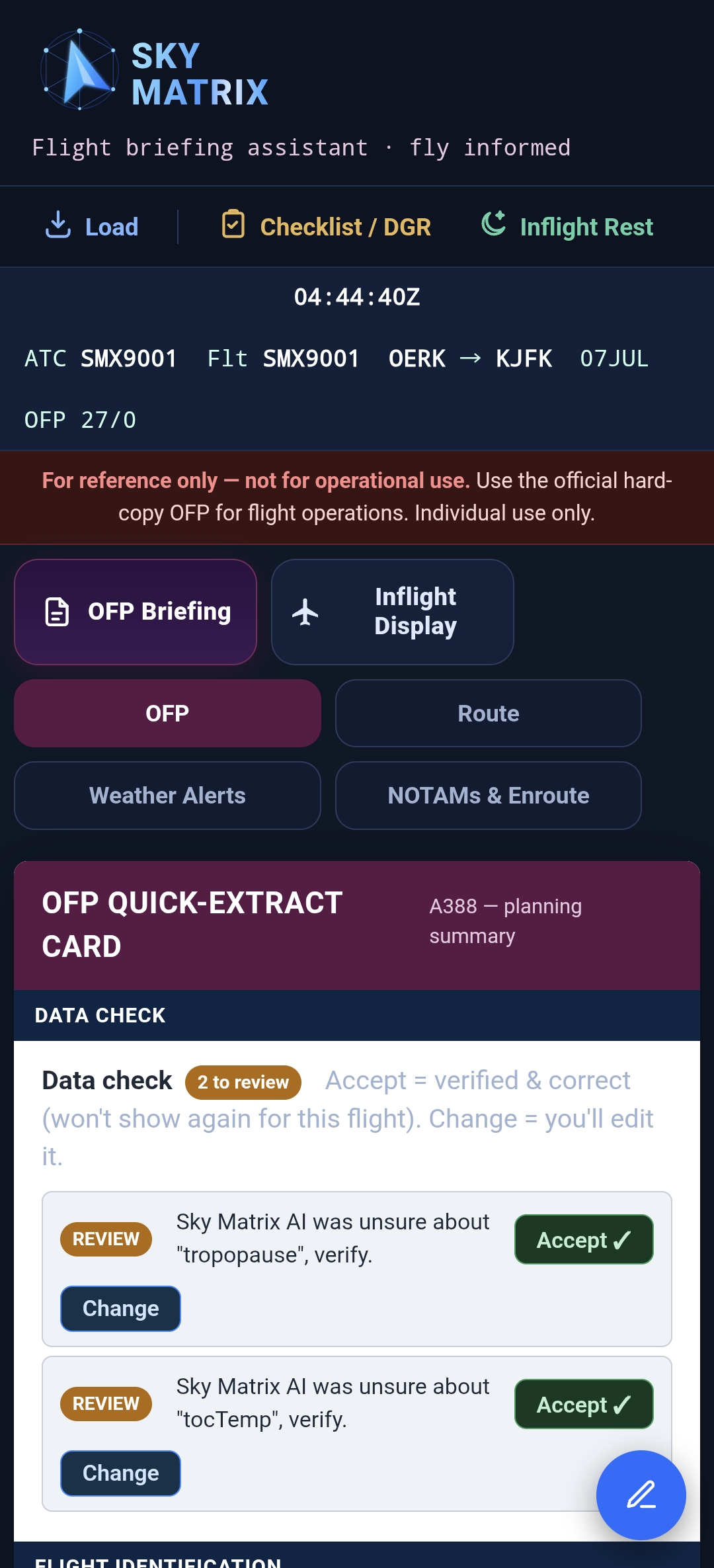
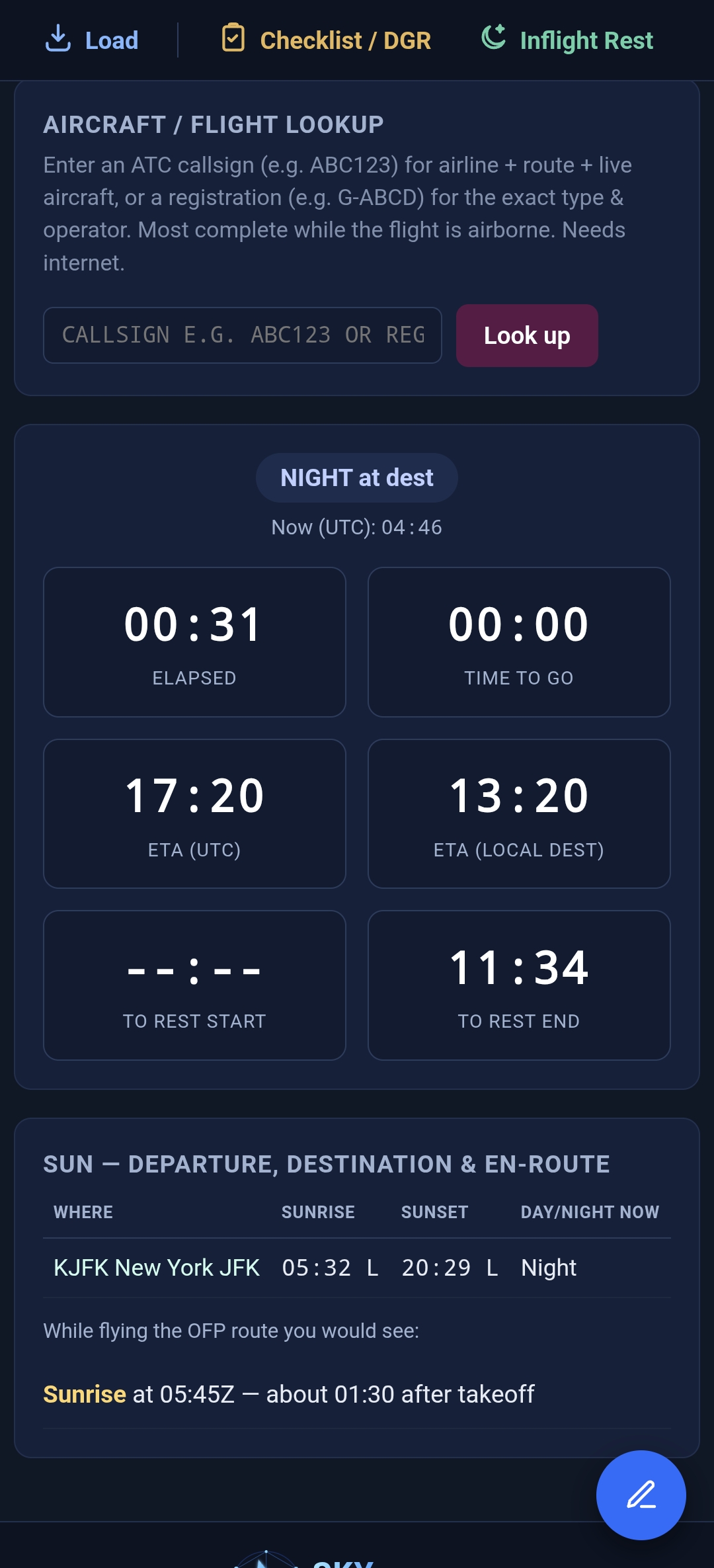
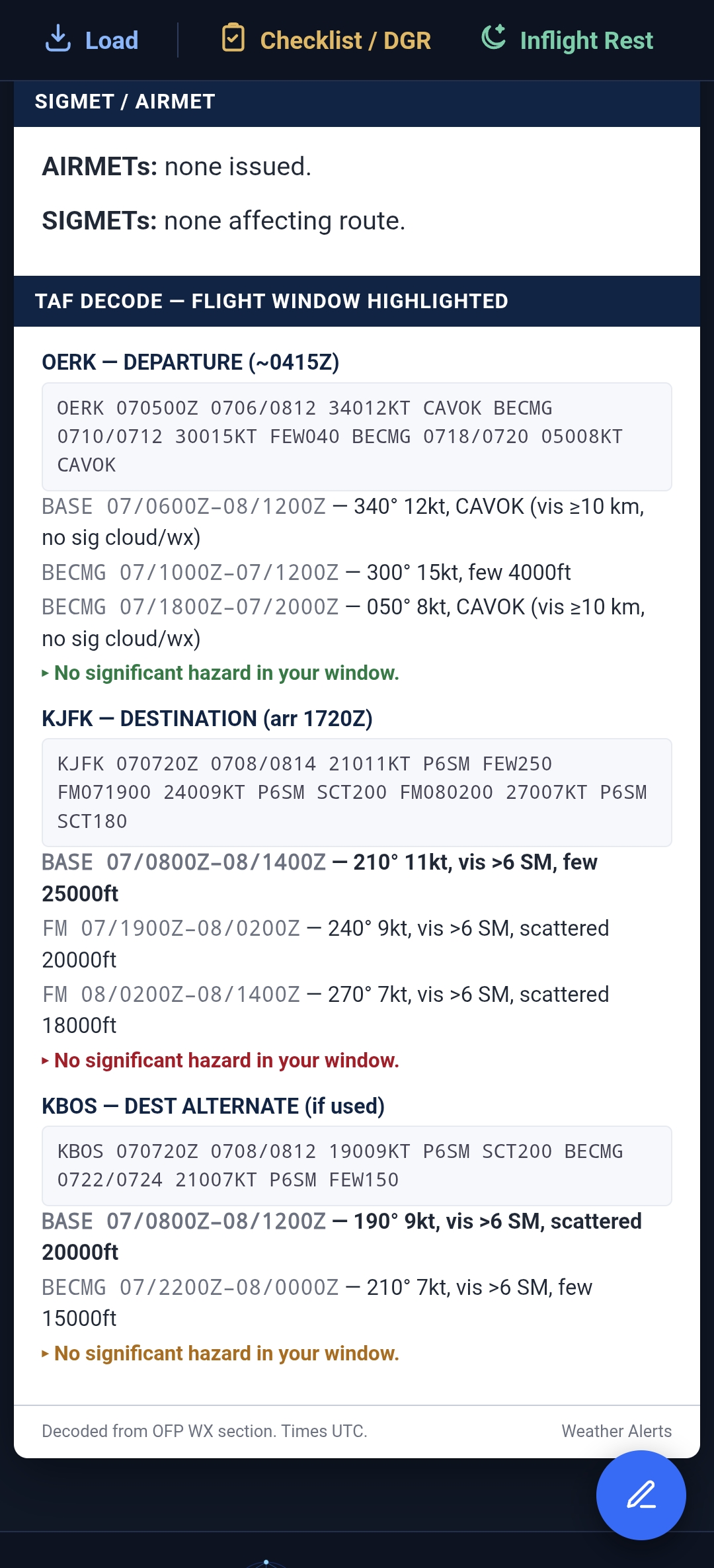
Actual app screenshots — the OFP quick‑extract card, the live inflight display, and decoded airport weather. (De‑identified sample flight shown.)


Purpose-built for line pilots. Load your operational flight plan once and Sky Matrix organises the whole picture across the phases of flight.
Drop in your operational flight plan and get route, weights, fuel, remarks and enroute data laid out and cross checked automatically.
Departure, enroute and arrival weather alerts, NOTAMs and live airport lookups with D-ATIS, parsed and highlighted for quick scanning.
An internet-synced UTC clock, distance travelled, and the next waypoint compared to your OFP for fuel and ETA at a glance.
Plan and time inflight rest cleanly, with the numbers worked out for you so the flight deck stays fresh for arrival.
An editable checklist tab plus dangerous goods reference at your fingertips, build the flow that suits how you work.
Generate clean, consistent passenger announcements drawn from the flight's own details, ready to read out.
Your iPad and your phone on the same licence. Save your setup to your account on one, load it on the other — checklists, announcements, documents and profile.
Pass checklists and announcements to another pilot with a 6‑digit code, or hand this flight’s briefing to the crew operating it with you.
Export your whole setup to one file and send it to iCloud Drive, Google Drive, OneDrive or Files. Change iPad, reinstall, or restore in seconds.
Most tools just dump the PDF's text on screen. Sky Matrix parses it: figures like ETOW and Taxi fuel are captured as discrete, validated numeric values, then cross-checked and flagged if anything looks off.
ETOW, Taxi, Trip, ZFW and the weight limits are read as real numbers you can compare and compute with, not a wall of copied text.
ETOW vs MTOW and estimated landing weight vs MLW are compared automatically, with a clear caution the moment a limit would be exceeded.
A pre-render data check highlights missing or out-of-range fields, so a mis-read number is surfaced for you to verify, never shown silently.
Sky Matrix started on the flight deck, a way to cut the clutter of preflight paperwork into a single, calm, inflight companion. It runs entirely on your own device, works offline once loaded, and one subscription covers two of your devices — your iPad and your phone stay in step.
The goal is simple: help you fly informed. Less hunting through pages, more situational awareness, gate to gate.
Read the user guide, then get the app on Android or iOS.
Start with a free 10 day trial in the app. When you're ready, subscribe and your access code is emailed to unlock the app on your device. Taxes handled at checkout by Lemon Squeezy.
More tools for people who live and work across time zones and borders. Both are available now for Android.
Crossing time zones shouldn't mean recalculating when to wake up. Built for aircrew and frequent flyers, Sky Alarm ends time‑zone confusion for good: set alarms directly in UTC, GMT or Local time to match your roster or itinerary, synced to internet time servers for down‑to‑the‑second accuracy — with no need to touch your device's clock. Wake up with confidence, wherever you land.
Living across borders shouldn't overcomplicate your finances. Designed for expats, digital nomads and professionals on the go, Sky Matrix Budget brings complete clarity to global spending. With intuitive multi‑currency tracking you can log daily expenses, plan savings and manage your wealth in the currencies that matter to you — without the headache of manual conversions. Get the clear financial picture you need, anywhere in the world.
Both are signed Android APKs (sideload). Verify the checksum on the Privacy & Security page before installing. Questions? support@skymatrix.biz.
What crews say about Sky Matrix. Only verified users, pilots who have used the app on trial or subscription, can leave a review.
Verified Sky Matrix users only — you'll need your Device ID and access code.
Questions, access codes, or licensing, reach the right inbox below.
Sky Matrix keeps your data on your device and uses outside services only where a feature genuinely needs them. Here's exactly what stays local, what leaves, and why.
Your flight data lives only in your browser/app storage on your device: the OFP text you load and every field you type (times, weights, crew, notes); your PIN, stored only as a one‑way hash; your biometric enrolment, which stays in your device's secure hardware and is never sent to us; documents you add to the in‑app DOCS store; and your saved announcements. None of this is uploaded to any Sky Matrix server. Clearing the app's data removes it.
A few features need the internet and send the minimum data required: Licensing & trials — your Device ID and email are sent to our licensing service to issue or validate an access code; AI OFP reading & announcements — when you tap these, the relevant OFP or template text is sent to be processed and returned; Aircraft, weather & NOTAM lookups — a flight number/registration or airport code is sent to the relevant provider; Payments — handled entirely on the checkout provider's site; we never see or store your card details. Anonymous usage milestones — so we can see where people get stuck, the app records that a step happened (app opened, OFP loaded). Only your Device ID and the step name are sent — never OFP content, route, times or any flight data.
Six providers, each used only for the feature you invoke. Full detail on the Privacy & Security page.
| Service | Purpose | Data shared |
|---|---|---|
| Cloudflare (Workers) | Licensing, trials, AI/data endpoints | Device ID, email, OFP/announcement text |
| Anthropic (Claude) | AI OFP reading & announcements | OFP / template text you submit |
| Flightradar24 | Aircraft type & route lookup | Flight number or registration |
| Lemon Squeezy | Checkout & billing (merchant of record) | Payment & contact details (with them, not us) |
| Cloudflare (Workers) | Anonymous usage milestones | Device ID + a step name (app opened / OFP loaded). No OFP content or route. |
| Resend | Sending your access‑code emails | Your email address |
| Cloudflare (Workers) | Hosting the app and website | Standard web request logs |
Each provider processes data under its own privacy policy. We share only what the feature you invoked requires.
Licences are protected with an ECDSA P‑256 digital signature — only our server holds the private key, so codes can't be forged, and each code is bound to a single device (a subscription covers two devices, so you hold one code per device). Your PIN is stored as a salted one‑way hash; biometric unlock uses the platform authenticator (WebAuthn) and never exposes your fingerprint/face to the app. The app is served only over HTTPS, and sensitive data is never placed in URLs. Honest caveat: any client‑side gate deters casual access but is not a guarantee against a determined attacker — use a strong PIN and keep your device secured.
You can stop all outbound data by simply not using the online features — the core briefing works offline. To delete your data, clear the app's storage on your device. For a licence transfer or a data request, email admin@skymatrix.biz. Questions about privacy or security: support@skymatrix.biz.
Full details, including the Android APK checksum for safe sideloading, are on the Privacy & Security page.